Available on Steam $5.99 USD
Bullet Counter Overlay (Ammo Counter)
The Crosshair EDGE Bullet Counter is a built-in ammo-style overlay that sits next to your crosshair. Pick a display style — numeric digits, a circular tick ring, or a linear tick row — and configure the counter to match your weapon and your game.
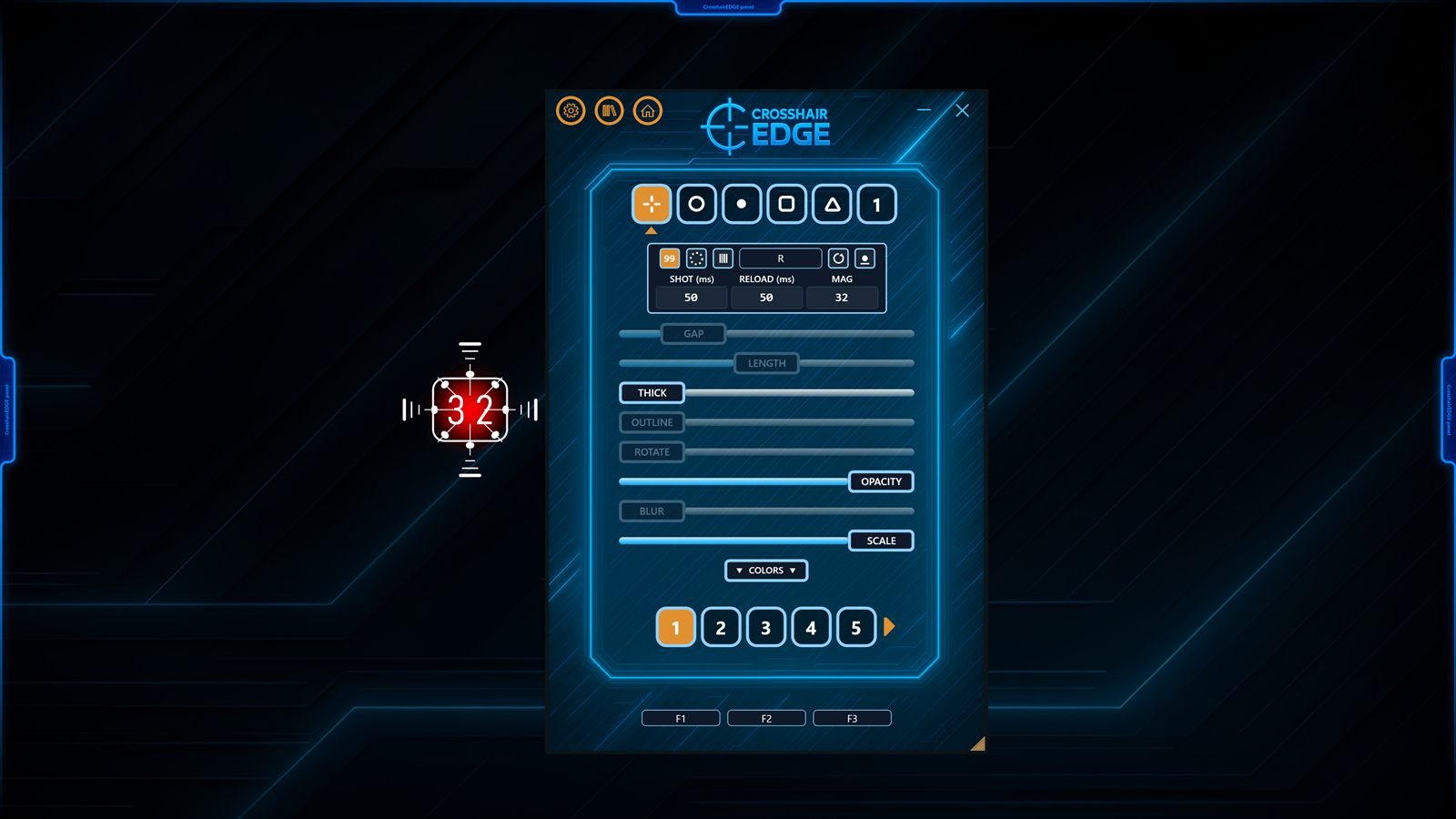
Three display modes — pick what reads best
Different game styles need different counters. Crosshair EDGE ships with three modes, each tuned for fast reading without pulling your eyes off the action.
Numeric
A clean digital display with a rounded frame. Shows the current ammo count using fixed-width
digits, so the counter stays the same width whether you are at 30 rounds or 9. Reads
"30", "--9", or "---" when empty.
Circular
A ring of ticks around your crosshair — one tick per bullet, up to 100. As you fire, ticks fade out, giving you a glanceable ammo indicator without numbers. Great for guns where you only need a rough idea of how much you have left.
Linear
A horizontal row of ticks with configurable rotation. One tick per bullet, up to 100. Rotate from 0° to 360° to position it above, below, or to the side of the crosshair — useful for HUD-heavy games where you want the counter to sit in a specific zone.
Magazine size, reload key, and shot delay
The Bullet Counter is fully configurable per preset:
- Magazine size up to 999.
- Per-preset reload hotkey — usually R, but you can bind anything.
- Shot delay tuned for your weapon's fire rate.
- Reload delay so the counter resets at the right moment.
- Per-mode colors, thickness, opacity, and scale.
- Position independent of the crosshair, so you can place it where it does not block your aim.
How it tracks ammo without touching the game
The Bullet Counter does not read game memory or hook into the game in any way. It uses passive key polling — counting your trigger presses and your reload key presses, and applying the timing rules you have configured. That keeps the design fully overlay-only, but it also means the counter is a visual aid rather than a perfectly accurate readout: it stays in sync as long as you fire and reload using the keys Crosshair EDGE is watching.
Per-preset configuration
The Bullet Counter setup is stored inside each preset, alongside the crosshair layers, colors, and positions. That means you can have a numeric counter tuned for a battle rifle in one preset, a circular counter tuned for a sidearm in another, and switch between them with F3 or with Game Auto-Switch.
Visibility you can tune
Because every part of the counter — colors, thickness, opacity, and scale — is exposed, you can make it loud and obvious for stream visibility, or quiet and minimal for serious play. Combined with the crosshair's own layered design, you can build a matched look for the entire reticle area.
Available on Steam
Crosshair EDGE is available on Steam for $5.99 USD. View Crosshair EDGE on Steam. To see the Bullet Counter in action, watch the Crosshair EDGE trailer.