Available on Steam $5.99 USD
Custom Crosshair for PC — Custom Crosshair Overlay App for Windows
Looking for a custom crosshair on PC? Crosshair EDGE is a custom crosshair overlay app for Windows that lets you design your own crosshair with layers, shapes, full color control, and instant preset switching — and use it across virtually all Windows games.
What is a custom crosshair?
A custom crosshair is a player-designed aiming reticle you control instead of relying on whatever the game gives you. A custom crosshair can be a small dot, a thin plus, a circle, or a layered design that combines shapes — and unlike an in-game crosshair, it stays exactly the same across every game and weapon. Crosshair EDGE is a custom crosshair overlay app built specifically for that: design your own crosshair once, then use it everywhere on Windows.
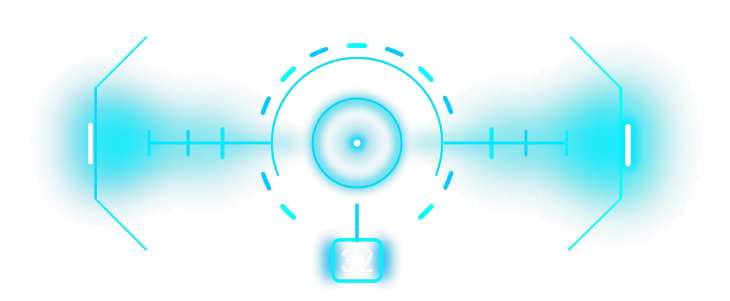
Layered crosshair design, made simple
Most crosshair tools give you a single dot, a single cross, or a fixed list of presets. Crosshair EDGE takes a different approach: every crosshair is built from up to 9 independent layers, stacked on top of each other to form one final reticle. Each layer has its own shape, color, outline, opacity, scale, blur, rotation, and gap, so you can mix a sharp inner dot with a soft outer ring, or a thin plus on top of a chunky square — anything you can sketch, you can usually build.
Five core shapes that combine into anything
Each layer can pick from five base shapes: Plus, Ring, Square, Triangle, and Dot. Every shape exposes segment toggles, so you can hide the top tick of a plus, drop one corner of a square, or split a ring into halves. You can also right-click segments to switch between rounded and flat ends, which makes a surprisingly large visual difference at small sizes.
Color, outline, and visibility control
Crosshair colors are picked with a full HSV color model — a 2D hue/saturation pad plus a dedicated hue slider — so you can nail exact shades that contrast with the games you actually play. Each layer has separate fill and outline colors, plus opacity, so you can layer a bright core over a darker outline for visibility on busy backgrounds. If a game has bright snow, dense forest, or neon HUDs, you can build a preset for each and switch in one keystroke.
20 preset slots and one-key cycling
Crosshair EDGE keeps 20 preset slots ready at all times. Cycle through them with F3, jump straight to a slot from the menu, or bind specific games to specific presets with Game Auto-Switch. Every preset stores all of its layers, sliders, positions, the global scale, the Bullet Counter setup, the Right-Click Hide setting, and the game binding — nothing is shared by accident.
Position, scale, and fine adjustments
Move the current layer with W A S D while the settings menu is open, or move all crosshair layers together with the arrow keys, even during gameplay. Movement accelerates while a key is held, so quick nudges and large jumps both feel right. The Scale slider has a global mode (right-click it) that resizes every layer in the preset together while keeping proportions intact — great for swapping between 1080p, 1440p, and 4K monitors without rebuilding anything.
Built for Windows, not for one game
Crosshair EDGE is a transparent Windows overlay. It does not inject into games, does not read or write game memory, does not modify game files, and does not patch game processes. Because the app only manages its own overlay window, it is designed to work with virtually all Windows games — no per-game integration required. Borderless fullscreen, windowed fullscreen, and normal windowed mode are the most reliable choices. A rare game with strict overlay handling, restrictive anti-cheat, or unusual exclusive fullscreen behavior may hide normal overlays, but exclusive fullscreen does not automatically mean Crosshair EDGE cannot work.
Export, import, and share
When you build a setup you like, you don't have to keep it locked to one PC. Export your full configuration — all 20 presets, hotkeys, and settings — to a file, or import someone else's. For one-click sharing, Crosshair EDGE supports Steam Workshop: browse, download, vote, subscribe, and upload your own designs with custom preview images. Steam Cloud sync also keeps presets, hotkeys, and configuration aligned across the Windows PCs you sign in to.
Available on Steam
Crosshair EDGE is built for Windows 10 and Windows 11 (64-bit) and is available on Steam for $5.99 USD. View Crosshair EDGE on Steam and check the Crosshair EDGE trailer to see the editor in motion.
Custom crosshair FAQ
What is a custom crosshair?
A custom crosshair is a player-designed aiming reticle that replaces or overlays the default in-game crosshair. You control the shape, color, outline, size, opacity, and position so the reticle fits the way you actually play rather than being limited to what each game ships with.
Is there a custom crosshair app for PC?
Yes. Crosshair EDGE is a custom crosshair app for Windows PC. It draws a fully customizable crosshair on top of your games as a transparent overlay, without injecting into any game, reading game memory, or modifying game files. See the custom crosshair app overview for more detail.
How do I get a custom crosshair in any PC game?
Install a custom crosshair for PC like Crosshair EDGE on Windows, design your crosshair in the app, and launch the game. Because the custom crosshair is drawn on top of the game window, it works with virtually all Windows games. Borderless fullscreen, windowed fullscreen, and windowed mode are the most reliable display modes.
Custom crosshair vs in-game crosshair — what is the difference?
An in-game crosshair is controlled by the game itself and can change shape, hide on certain weapons, or be missing entirely. A custom crosshair overlay is drawn on top of the screen by a separate app, so the shape, color, and size stay exactly the same across every game and weapon.
Is using a custom crosshair allowed?
Crosshair EDGE is overlay-only — it does not inject into games, does not read or write game memory, and does not modify game files. Each game's rules and anti-cheat policies still apply, so check the game's terms before using any third-party overlay in competitive online play.