Available on Steam $5.99 USD
Desktop Organizer with Edge Panels
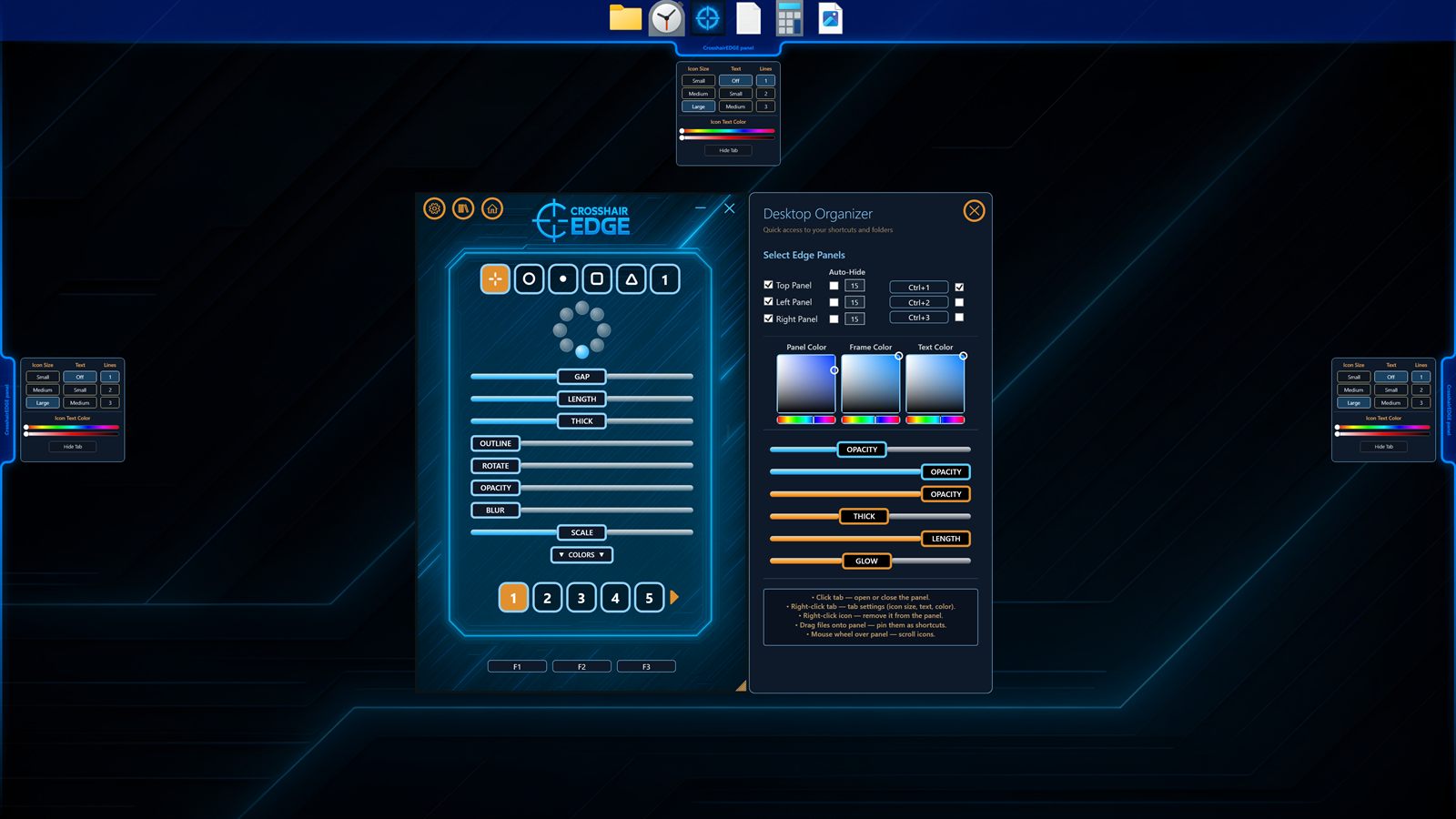
A bonus feature inside Crosshair EDGE: slide-out edge panels that hold your most-used files, folders, and shortcuts. Pin them to the top, left, or right of your screen, hide your desktop clutter, and keep everything one click away.
Why edge panels?
The Windows desktop is a great place to drop things and a poor place to find them. Once you have a few dozen files, screenshots, and shortcuts on it, finding what you need is slower than opening File Explorer. The Crosshair EDGE desktop organizer fixes that by giving you up to three slide-out panels — Top, Left, and Right — that you fill with the things you actually use.
Drag & drop, both directions
You can drag files, folders, and shortcuts from File Explorer or your Desktop directly into any panel. Reorder items by dragging within a panel. Everything persists between sessions, so once you set up a panel, it stays the way you left it.
Desktop cleanup that respects Windows
When you drag a file from the Desktop into a panel, Crosshair EDGE can optionally hide it from the Desktop using the standard Windows Hidden attribute. The file is not moved, copied, or modified — only its hidden flag is set, which is a normal Windows operation. Remove the item from the panel and the Hidden flag is cleared, so it reappears on the Desktop automatically.
Visual customization
Panels are themed to match the rest of Crosshair EDGE and the games you play around them. You can configure:
- Icon size: 32 / 48 / 96 px.
- Text labels: off, or one to three lines.
- Label colors independent of icon colors.
- Panel opacity, frame thickness, and blur.
- Tab auto-hide timers so panels stay out of the way while you game.
Quick access
Use Ctrl+1, Ctrl+2, and Ctrl+3 to toggle the Top, Left, and Right panels. Double-click items to open them. Right-click for the standard context menu (Open, Open Location, Remove). Hotkeys are fully customizable, like every other shortcut in Crosshair EDGE.
One app, two clean ideas
The desktop organizer is a bonus feature, not the main attraction — Crosshair EDGE is first and foremost a custom crosshair overlay. But because the app is already a transparent always-on-top Windows overlay with hotkeys and per-screen positioning, extending it with edge panels was a natural fit, and it gives non-FPS players a clear reason to pick it up too.
Available on Steam
Crosshair EDGE is available on Steam for $5.99 USD, with the desktop organizer included. View it on Steam or watch the Crosshair EDGE trailer to see the panels in action.