Available on Steam $5.99 USD
Crosshair Overlay for Any Game on Windows
A clean, customizable aiming point that you control — independent of the game's own crosshair, weapon, or HUD. Crosshair EDGE places a fully custom crosshair on top of virtually all Windows games, with one consistent feel from FPS to top-down.
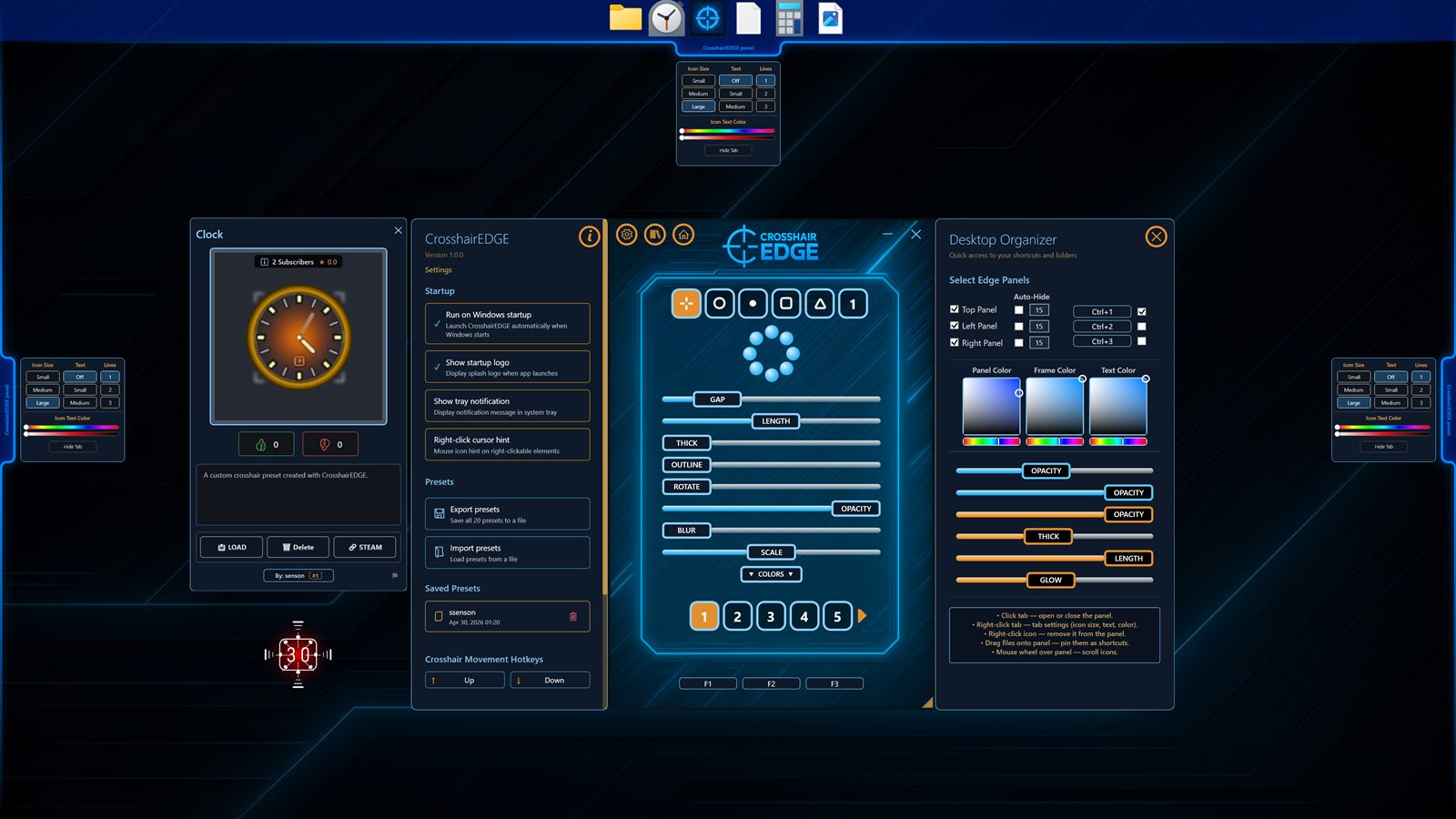
One crosshair you control, across many games
Different games take very different approaches to aiming: some hide the crosshair on certain weapons, some swap to large reticles when you move, some only render a tiny dot, and some give you nothing at all. Crosshair EDGE solves that by drawing its own customizable crosshair on top of the game window, completely independent of in-game logic. You see the same shape, color, and size across virtually all modern Windows games. Borderless fullscreen, windowed fullscreen, and normal windowed mode give the most reliable overlay behavior, while exclusive fullscreen can still work depending on the game.
Customizable aiming point that fits your style
The aiming point is built from up to nine layers, each with its own shape, color, outline, opacity, scale, blur, rotation, and gap. You can keep it minimal — a single dot, or a thin plus — or stack layers to build a more visible reticle for fast-paced shooters. Each preset is independent, so you can use a small subtle dot for one game and a high-contrast layered crosshair for another.
Game Auto-Switch: the right preset for the right game
Game Auto-Switch lets you bind a specific game executable to a specific preset. When that game is running, Crosshair EDGE can automatically switch to the matching preset, then switch back when the game closes. Combined with 20 preset slots and the F3 cycling hotkey, you can keep your favorite crosshairs ready without ever opening a settings panel mid-game.
Compatibility — what to expect
Crosshair EDGE is designed to work with virtually all Windows games because it does not need game integration and does not modify game files. For best results, use borderless fullscreen, windowed fullscreen, or windowed mode. A small number of games with restrictive overlay handling, strict anti-cheat policies, or unusual exclusive fullscreen behavior may hide normal Windows overlays, but a game lacking borderless mode does not automatically mean Crosshair EDGE cannot work.
If the crosshair does not appear, check these
- Try borderless fullscreen, windowed fullscreen, or normal windowed mode if the game offers it.
- The crosshair is enabled (toggle with F1).
- The selected preset has visible segments and non-zero opacity.
- The app is running on the same monitor as the game.
Independent of the game's own crosshair
Because the overlay is purely on top of the game, it does not interfere with the in-game reticle. If a game shows its own crosshair, you can either hide it in the game's settings or simply position the Crosshair EDGE crosshair around it. Many players use Right-Click Hide to remove the overlay while aiming down sights, so the in-game scope or reticle takes over without any toggling.
Designed for Windows gamers
Crosshair EDGE is built for Windows 10 and Windows 11 (64-bit), with hardware-accelerated rendering and DPI-aware scaling for 1080p, 1440p, and 4K monitors. Multi-monitor setups are supported — the overlay follows the active screen so it always lines up with your game.
Available on Steam
Crosshair EDGE is available on Steam for $5.99 USD. View it on Steam and check the Crosshair EDGE homepage for the full feature list.